Job Orders
Each order gets a unique JO number. Set the client, team name, deadline, quantity, and product type. Everything in the app links back to that one number — design, lineup, invoice, and production stage.
Sublay Studio is a desktop app that manages everything — from the first order to the final payment. No internet needed. No switching between different tools.
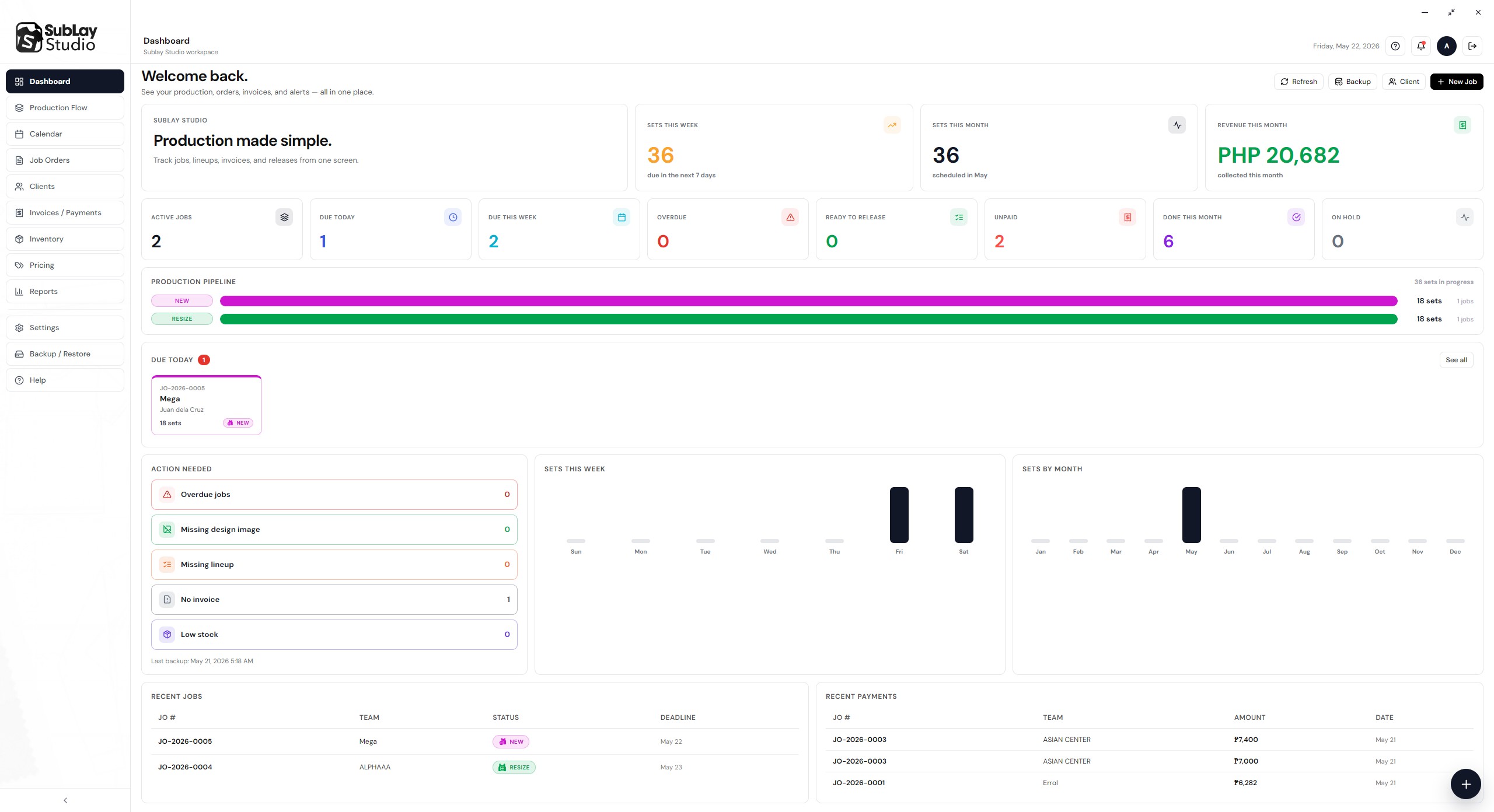
No cloud required. Everything runs on your Windows computer, so your data stays safe and the app keeps working even without internet.
Each order gets a unique JO number. Set the client, team name, deadline, quantity, and product type. Everything in the app links back to that one number — design, lineup, invoice, and production stage.
Add player names, jersey numbers, and sizes. The app checks for missing or incorrect entries and builds a clean, ready-to-print Lineup PDF automatically. Saved directly to the team folder.
Move each job through 9 clear stages: Hold → New → Resize → Print → Press → Cutting → Sewing → Packing → Ready to Release. Every card shows the deadline, quantity, and payment status.
Create an invoice for each job. Add partial payments as they come in. See the remaining balance at a glance. Print the Invoice PDF anytime — no separate spreadsheet needed.
Monitor your materials — fabric, ink, paper, thread, packaging, and more. Get low stock alerts before production gets stuck. View full transaction history per item.
Save client names, contact numbers, social links, and notes. View order history per client. Find any client quickly when creating a new job.
The dashboard shows overdue jobs, missing design images, missing lineups, unpaid invoices, and low stock — all in one view. Click any alert to jump to the right page and fix it right away.
See all job deadlines laid out on a calendar. Know what is due today, this week, and this month without digging through a list.
Save your entire database, team folders, generated PDFs, and app settings with one click. Restore everything quickly if something goes wrong.
Built for shops where not everyone is tech-savvy. Each screen tells your staff: what is the job, where is the folder, what is next, and who still owes money.
Save the client's name, contact number, and notes. Link them to new jobs right away.
Choose the client, set the deadline, quantity, and product type. The app assigns a JO number and creates the team folder automatically.
Add each player's name, number, and size. Upload the design images. Print the Lineup PDF with one click.
Create the invoice, set the price, and record payments as they come in. Always know the exact remaining balance.
Move the job through each stage — from New all the way to Ready to Release. See overdue and on-hold jobs at any time.
Mark the job as Done. The dashboard updates automatically and the job moves to history.
Click each tab to see how that part of Sublay Studio works in real use.
The moment you log in, the dashboard shows the numbers that matter most. No need to open multiple pages just to know what needs attention.
What you see on the dashboard:
Every job card shows the current stage, deadline, quantity, and payment status. Press Next or Back to move it through production.
The 9 production stages:
Type in player names, jersey numbers, and sizes — or paste rows directly from Excel. The app checks for any missing or incorrect entries before you print.
Once everything looks right, click Generate Lineup PDF and the file is saved directly to the team folder. No extra steps.
| # | Player Name | Size | Type |
|---|---|---|---|
| 10 | Juan dela Cruz | XL | Jersey |
| 7 | Maria Santos | S | Jersey |
| 3 | Pedro Reyes | M | Jersey + Shorts |
| 5 | Ana Garcia | L | Jersey |
Create an invoice for each job order. Add partial payments as they come in and the app calculates the remaining balance right away.
The payment status appears on the production card so anyone on your team knows if a job has been paid or not.
Clean, simple screens built for everyday shop use — easy enough for any staff member to learn quickly.
Active jobs, smart alerts, production pipeline, charts, and recent activity — all in one view when you log in.
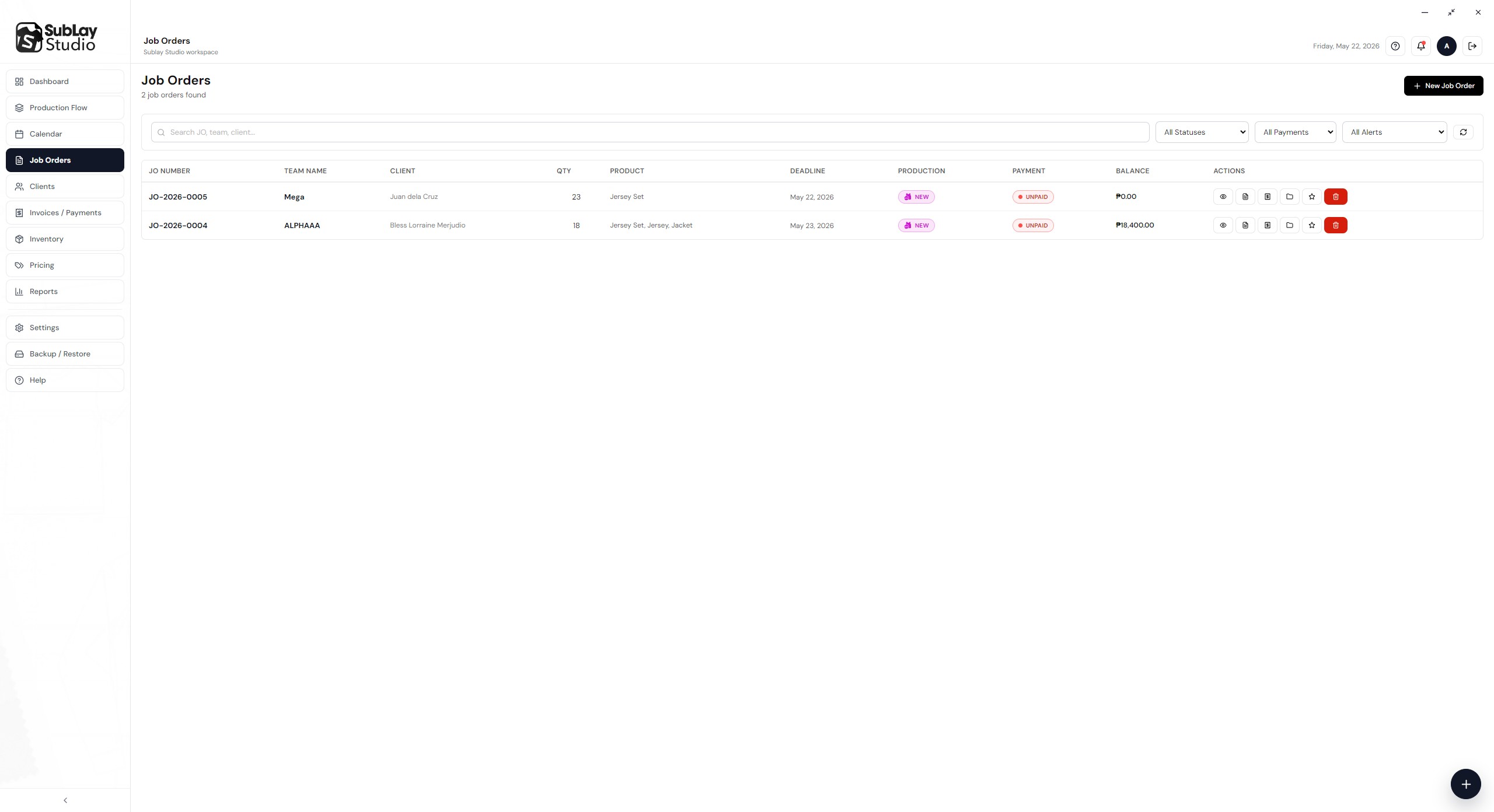
Full list of all jobs with search, filters, status badges, deadlines, and quick action buttons.
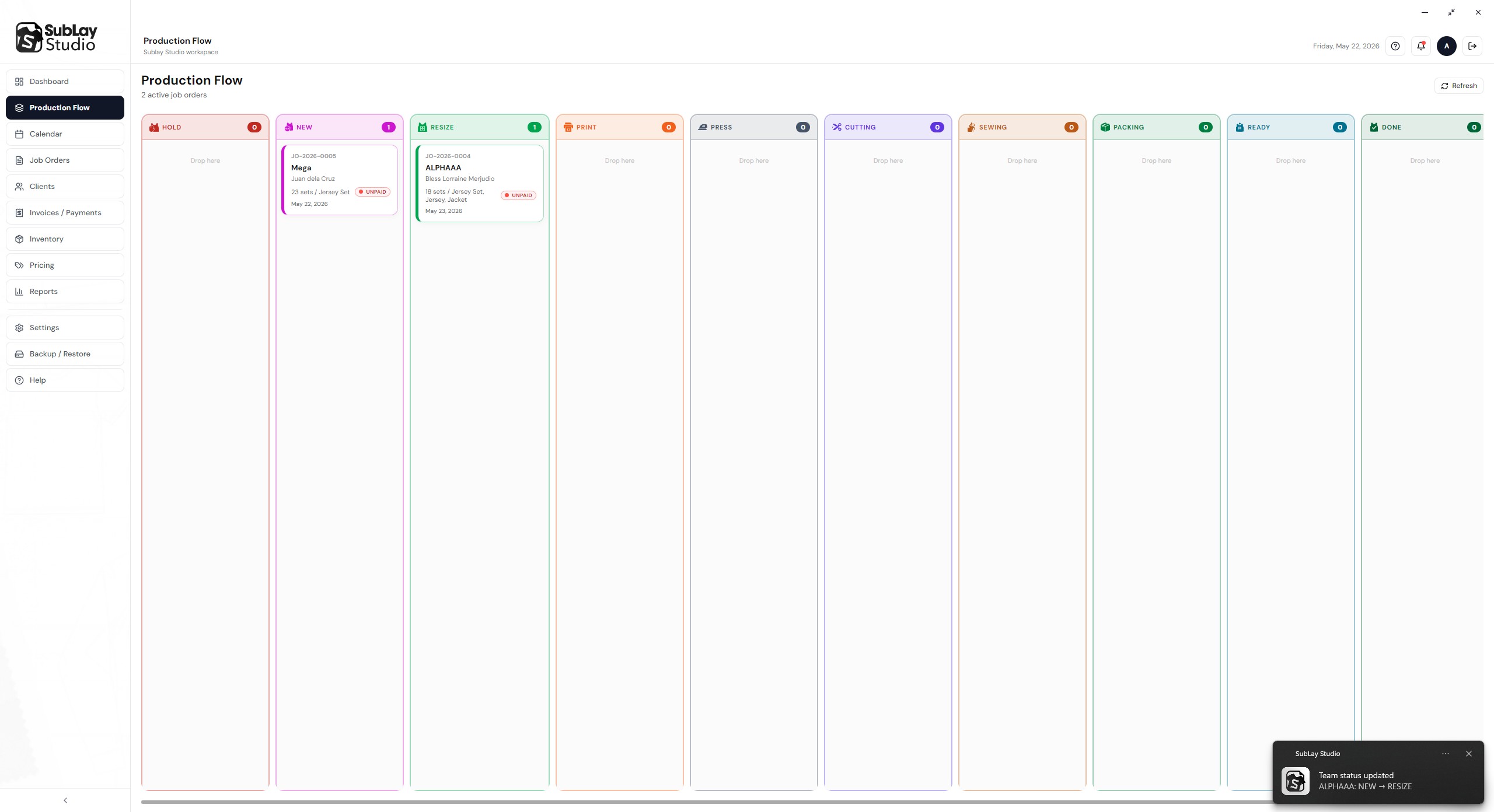
Cards organized by stage. Move any job forward or back with one click. Priority jobs are marked clearly.
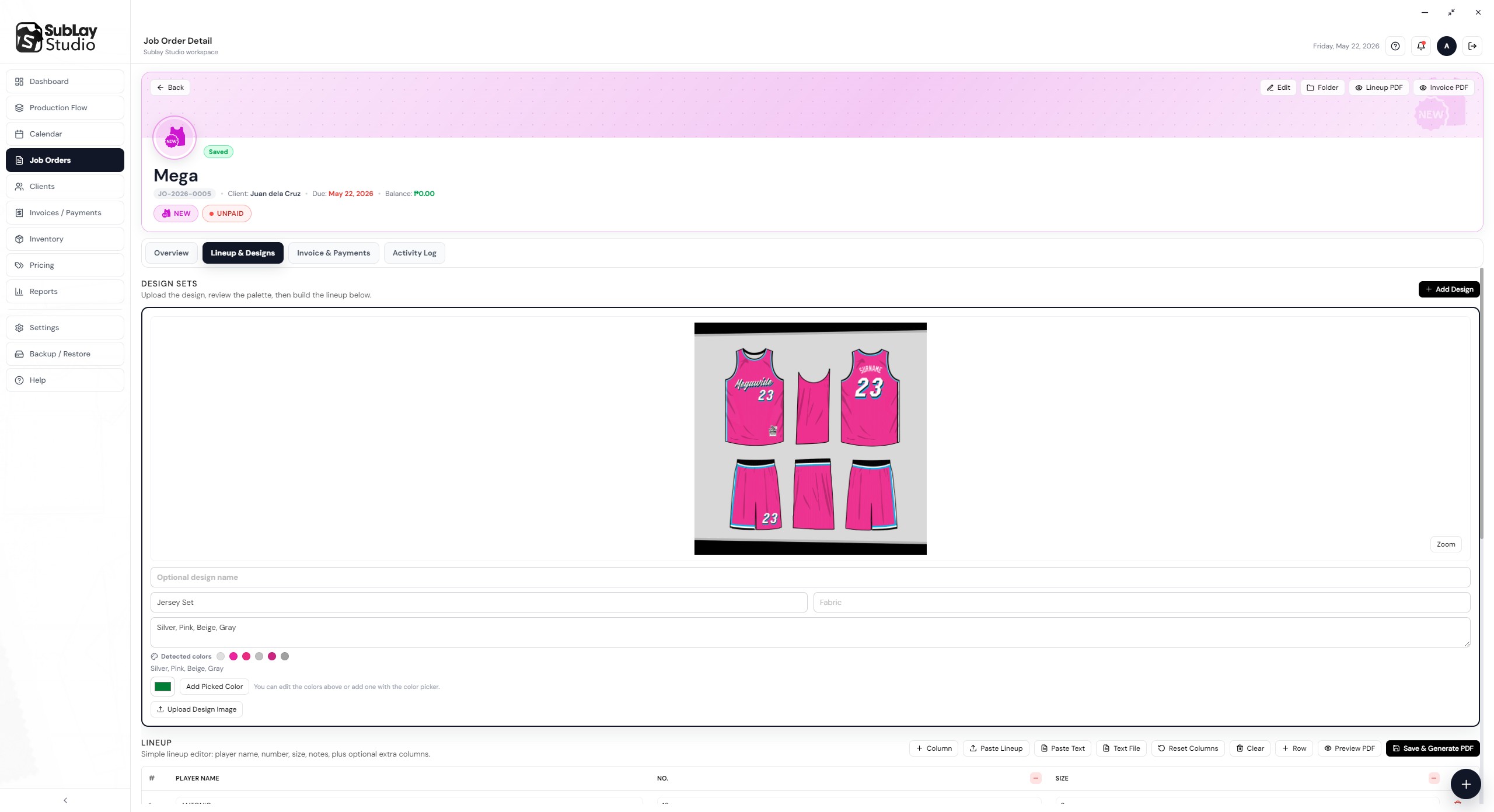
Add players, upload design images, check for errors, and generate the Lineup PDF in seconds.
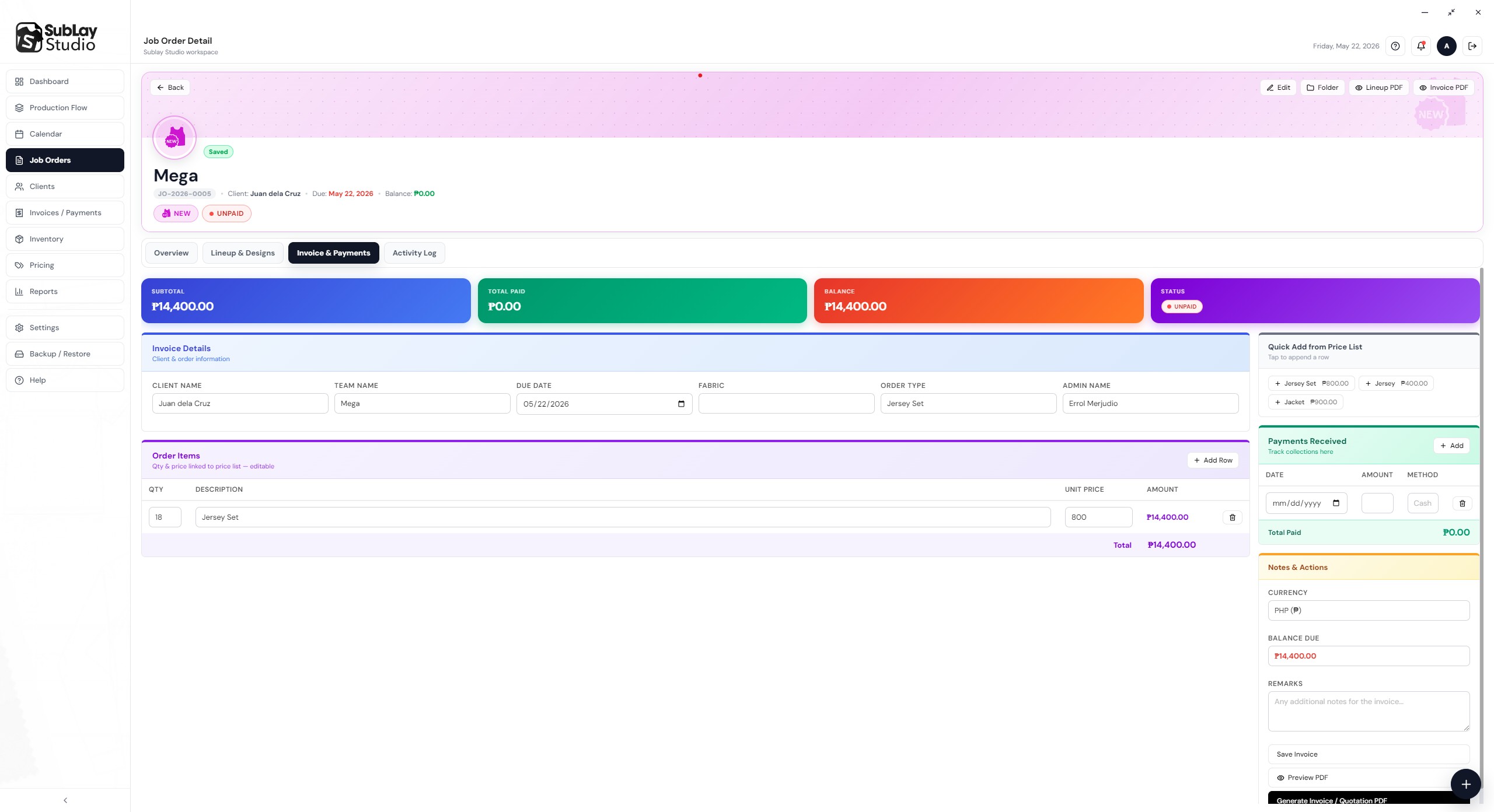
Track payments per job, view the running balance, and print Invoice PDFs with one click.
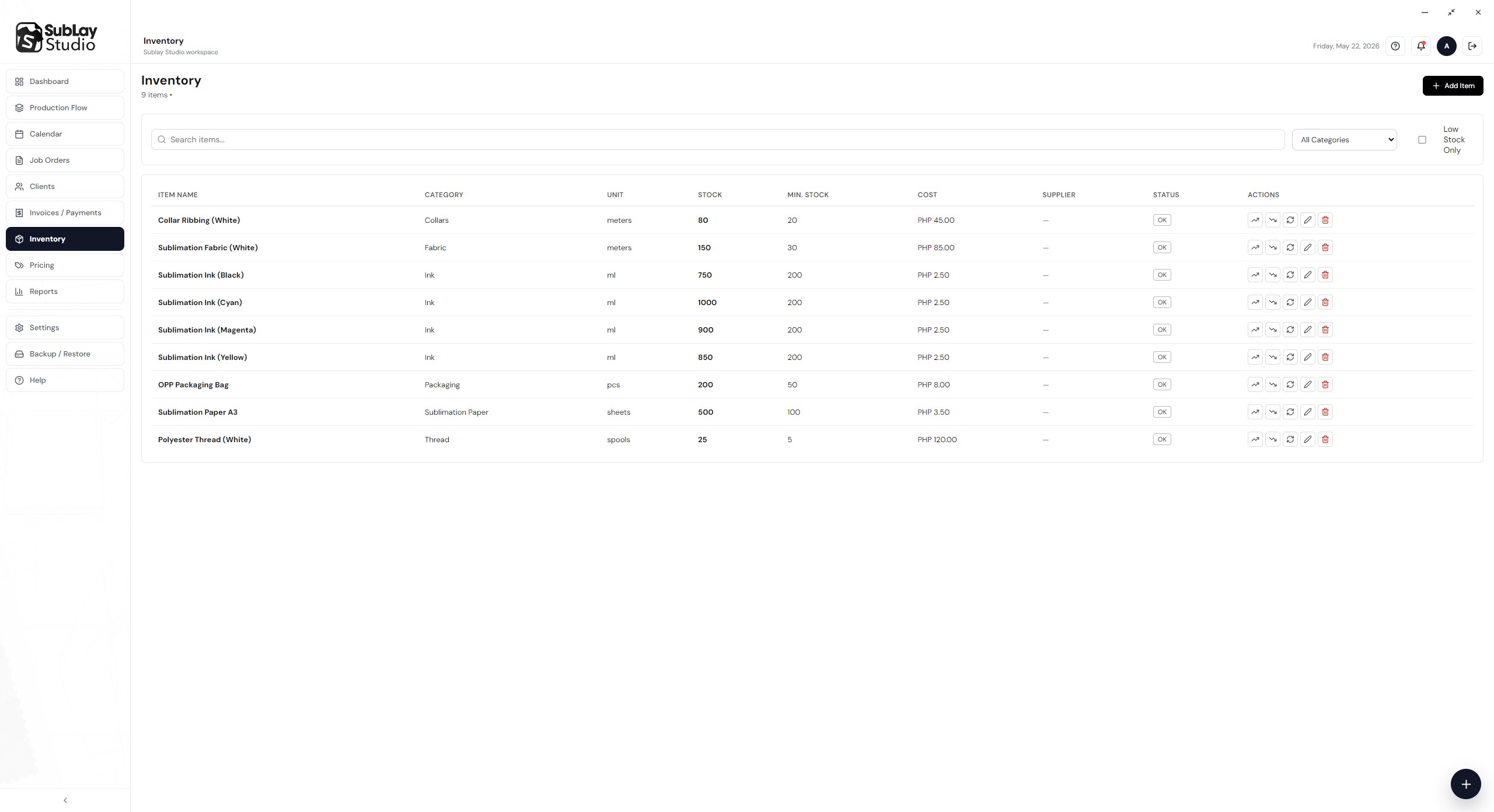
Monitor your stock levels, view transaction history, and get low stock alerts before production starts.
No monthly fees. No hidden charges. Pay once and use it forever on your shop's computer.
No. Sublay Studio is fully offline. It runs on your Windows computer using a local database. Your data never leaves your machine, and the app works even without a Wi-Fi connection.
A Job Order is the main record for each team you produce jerseys for. It has a unique JO number and contains everything: client info, team name, deadline, quantity, design images, lineup, invoice, payment records, and production stage — all in one place.
The app creates two PDFs for each job: a Lineup PDF (player names, jersey numbers, and sizes) and an Invoice PDF (pricing, payments received, and balance). Both are saved automatically to the team folder.
Jobs move through 9 stages: Hold → New → Resize → Print → Press → Cutting → Sewing → Packing → Ready to Release. You move a job to the next stage with a single click. The dashboard always shows how many jobs are in each stage so you can see the workload at a glance.
Yes. Sublay Studio has four user roles: Admin (full access), Sales (job orders and invoices), Production Manager (production flow and deadlines), and Inventory (stock and materials). Each role has its own dashboard showing only what they need.
Use the built-in Backup feature to save your database, team folders, and PDFs to a single backup file. You can restore from that file anytime. It only takes a few seconds and you can do it as often as you like.
The Calendar shows all your job deadlines laid out by date. You can see at a glance what is due today, what is due this week, and what is coming up next month — without digging through a list of orders.