
Resize CDR app icon Complete CorelDRAW Production App
CorelDRAW Production Automation · Windows Only

BUILD EVERY CORELDRAW ORDER FROM ONE APP.

Paste a roster, generate jersey and shorts grids, manage size presets, check templates, convert PSD files, and export production-ready CDR or JPG output with Resize CDR.

1-Day Full Trial Windows 10 & 11 CorelDRAW 2014+
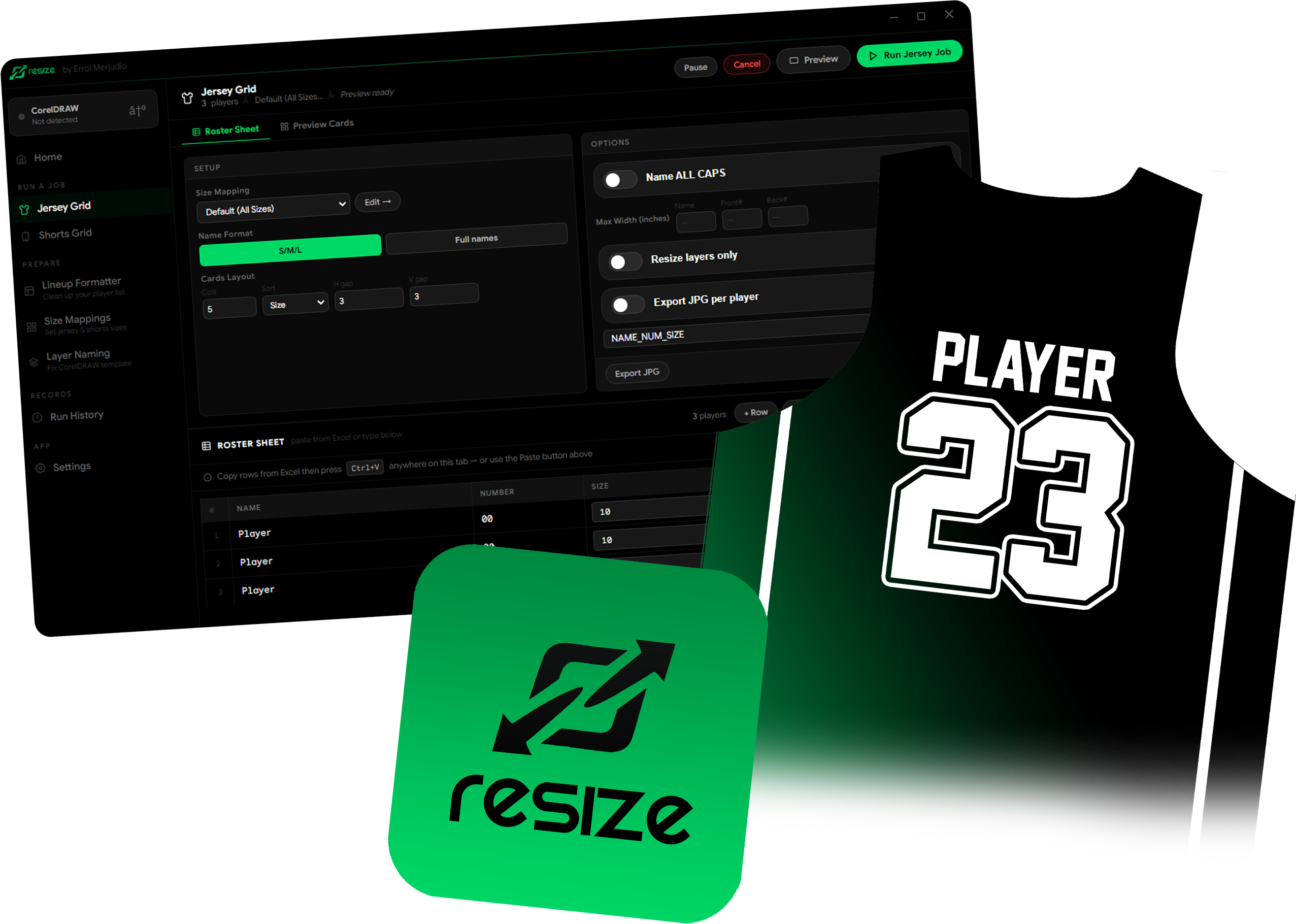
Resize CDR app automating jersey orders
What It Does

The actual app workflow,
all in one place.

Every tool below is available in the desktop app, with separate controls for each production workflow.

Jersey & Shorts batch grids

Paste names, numbers, and sizes from Excel. Control columns, sorting, gaps, text widths, page output, resize layers, and separate jersey or shorts presets.

Presets & Sizes Only mode

Create, duplicate, rename, and edit separate jersey or shorts presets. Generate selected jersey, shorts, or sleeve sizes from a source group without rebuilding a roster.

Clean List before production

Clean messy roster names, numbers, and sizes, then send the corrected rows straight to the Jersey Grid. Custom roster columns and uppercase output are supported.

PSD to Corel with editable text

Drop in a PSD, preflight its canvas, layers, fonts, and effects, then create a native CDR. Photoshop metadata improves text fidelity, while AI Style Assist remains optional and private.

1
Browse or drop a PSD and choose the CDR output
2
Review layers, fonts, effects, and conversion warnings
3
Rebuild editable text with missing-font handling
4
Open the converted CDR and optionally hide its raster reference
Template Check & preflight

Run a read-only check for player, num1, num2, and size placeholders. Settings keeps license, CorelDRAW auto-detect, grid defaults, theme, and private API-key storage in one place.

JPG export & Run History

Use Print, Proof, Web, or Custom JPG profiles with DPI, quality, color, filename, and optimization controls. Export CSV records and review completed jobs in Run History.

How It Works

Done in four simple steps.

The same production flow shown in the desktop app, from checking a template to reviewing finished output.

Step 1
Connect & check the template

Open the design in CorelDRAW, let the app auto-detect it, then verify the required placeholders with Template Check.

Step 2
Paste, clean & choose a preset

Paste the roster from Excel, clean inconsistent data, then select the correct jersey or shorts size preset.

Step 3
Preflight & run the batch

Review production warnings, output columns, gaps, and export settings. Start the run, with pause and cancel always available.

Step 4
Review CDR, JPG & history

Open the generated CorelDRAW output, export JPG or CSV when needed, and review the completed job in Run History.

See the App in Action

From roster to output.
One smooth flow.

Scroll through the steps or click any stage. The preview follows the real desktop workflow so you can see what happens before you download.

Size Presets

Your production sizes,
set exactly
your way.

Jersey and shorts presets are managed separately. The app uses the width and height saved in your selected preset instead of forcing fixed measurements.

Create, duplicate, rename, or delete presets, then generate Ready Size Groups from XS to 7XL.
SizePreset supportWidthHeight
XSReady Size GroupFrom presetFrom preset
SReady Size GroupEditableEditable
MReady Size GroupEditableEditable
LReady Size GroupEditableEditable
XLReady Size GroupEditableEditable
2XLReady Size GroupEditableEditable
3XL–7XLExtended rangeEditableEditable
Pricing

Simple pricing.
No surprises, no monthly fees.

Start free for 1 day. When you're ready, pick the plan that fits your shop.

Free Trial
Free
1 day · No credit card needed
All features fully unlocked
Jersey & Shorts batch grids
PSD to Corel conversion
Presets & Sizes Only mode
Preflight, JPG & Run History
Expires after 1 day
Download Free
Lifetime License
₱3,500
one-time payment · yours forever
Everything in Free Trial
Never expires — use forever
Licensed to your computer
Free updates — for life
Priority email support
Best value for active shops
Get Lifetime License

All licenses are locked to your computer with a key. Payment via GCash, Maya, or bank transfer — we'll send instructions after you reach out.

What People Are Saying

Jersey shops love it.

I used to spend a whole afternoon just resizing jerseys for one 15-player team. With this app I'm done in under 10 minutes. I genuinely can't believe I used to do it by hand.

Marco R.
Jersey Print Shop Owner · Cebu

It just works. I open the app, paste my list, press Run, and go make coffee. By the time I'm back, every jersey is done. No crashes, no errors — incredibly reliable.

Ana L.
Graphic Designer · Manila

I saved each client's jersey sizes as a custom preset. Now I never have to think about measurements at all. One of those tools where you wonder how you ever managed without it.

Jed T.
Sports Apparel Designer · Davao